Why Is My Vape Not Hitting Even Though It’s Charged?

Time:2026-09-24 Author:Ethan
0%

When a device shows a full battery but produces no vapor, the problem may not be the charge. The real issue can involve airflow, a blocked mouthpiece, poor coil contact, or an empty pod. Many users search, “Why is my vape not hitting even though it’s charged,” after seeing the screen light up without hearing the expected soft crackle.

This guide approaches that question carefully. It separates simple connection problems from signs of leaking, overheating, or internal damage. The U.S. Food and Drug Administration advises users to stop using batteries that appear damaged, unusually hot, or swollen. Do not puncture, modify, or force open a device. Small details matter. A loose pod can look secure while failing to connect electrically.

The wider context also matters. The CDC’s 2023 National Youth Tobacco Survey reported approximately 2.13 million U.S. middle and high school students currently used e-cigarettes. That figure shows how widespread these products are, but it does not make every device safe or reliable. WHO and FDA guidance also emphasize that e-cigarettes carry health risks and should not be treated as harmless products. Troubleshooting is not a substitute for professional advice. Some explanations may seem obvious, yet real devices can fail unpredictably. If the device leaks, smells burnt, becomes hot, or behaves differently after charging, discontinue use and follow the manufacturer’s safety instructions.
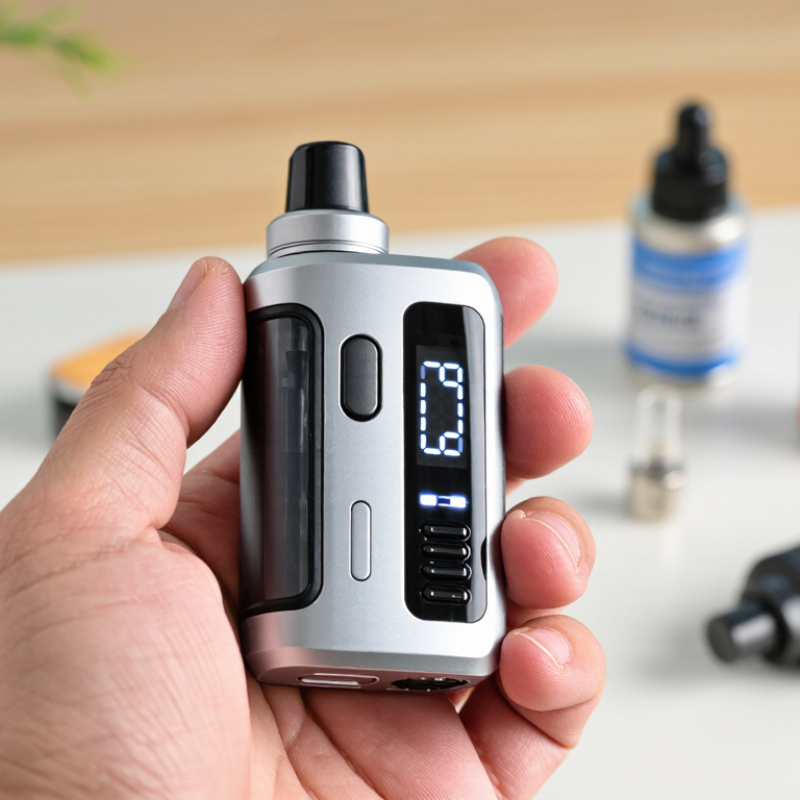
Why Is My Vape Not Hitting Even Though It’s Charged?

Check Whether the Device Is Truly Powered On

A charged battery does not always mean your vape is ready to use. Some devices need to be switched on separately, often with a button sequence described in the instruction manual. Check the manual for the exact steps rather than guessing. A small light may blink or change color when the device powers on, but indicators vary between models.

Set the device on a dry, stable surface and inspect it before testing. Look for a power button, a screen, or a light near the charging port. If there is a button, press it as directed and watch for a response. No light? The device may be off, or the battery connection may not be registering. It is easy to mistake a charging indicator for a power indicator.

If the device has an automatic draw sensor, it may not have a separate on switch. Check that the airflow openings are clear and that the device is assembled correctly, without forcing any parts. Then take a gentle puff. Still nothing? Stop if it feels unusually hot, looks damaged, or behaves inconsistently. I have found that repeatedly pressing buttons can muddy the picture, so pause and recheck the instructions before trying again.

Why Is My Vape Not Hitting Even Though It’s Charged? - Check Whether the Device Is Truly Powered On
What to Check What You May Notice Safe Next Step
Power-on sequence The device shows no light or display when you try to use it. Check the device instructions for its power-on method. Some button-operated devices require a specific sequence, while draw-activated devices may not have a power button.
Battery indicator The screen or indicator does not respond, or the battery reading is unclear. Reconnect the device to its recommended charger and confirm that the charging indicator appears. A battery that indicates charge may still be unable to supply power.
Lock or standby mode The device lights up, but the firing button or draw does not activate it. Check the manual for a lock, standby, or button-lock setting. Use only the documented controls; do not try unfamiliar button combinations.
Airflow and mouthpiece The device appears powered, but airflow is blocked or very restricted. Check for visible obstruction or condensation around the mouthpiece and airflow openings. Clean only as directed by the manufacturer, with the device turned off.
Pod or tank connection The indicator flashes, or the device does not recognize the attached pod or tank. Turn the device off, remove and reseat the compatible component, and wipe accessible contact surfaces with a dry cloth. Do not force parts into place.
Heating component The device powers on, but produces little or no vapor. Check whether the pod or coil is correctly installed and suitable for the device. Replace a worn component according to its instructions; never use a damaged or leaking one.
Overheating or protection mode The device stops working after repeated use or feels unusually warm. Stop using it and let it cool on a non-flammable surface. Follow the manual’s guidance before trying again; do not bypass safety protections.
Visible damage or persistent fault The battery casing is swollen, the device is leaking, or it continues to malfunction after basic checks. Stop using or charging the device. Do not open or repair the battery yourself; contact the seller or manufacturer for guidance and follow local battery-disposal rules.

Inspect the Cartridge, Pod, and Electrical Connections

Why Is My Vape Not Hitting Even Though It’s Charged?

Inspect the Cartridge, Pod, and Electrical Connections

A full battery does not guarantee a clear connection. Remove the cartridge or pod and check its base for condensation, dust, or residue. A thin film can interrupt contact. Wipe the exterior contact points gently with a clean, dry cloth, then let everything dry before reconnecting. Do not scrape the metal or add liquid to the contacts. Small parts can be less forgiving than they look.

Check that the cartridge or pod sits firmly in place without forcing it. Look for cracks, a loose mouthpiece, or a blocked airflow opening. If the device uses a removable pod, reseat it and listen for a gentle click. A flooded or worn cartridge may still fail to produce vapor, even when the battery indicator looks normal. I’ve found that symptoms can overlap, so a quick inspection may not reveal the whole cause. If a part is damaged or the device becomes unusually hot, stop using it and follow its care instructions.

Tips: Clean only dry, accessible contacts. Keep the device upright while checking for leaks. Try a compatible, known-good cartridge or pod if available. If the problem continues, avoid repeatedly pressing the button; consult the manufacturer’s guidance or a qualified repair professional.

Clear Airflow Blockages and Check for Leaks

Why Is My Vape Not Hitting Even Though It’s Charged?

Clear Airflow Blockages and Check for Leaks

A charged device can still produce little or no vapor when its airflow path is blocked. Check the mouthpiece and air inlets for lint, dried residue, or pocket dust. Remove the pod or tank only as its instructions allow, then wipe contact surfaces with a dry cloth. Don’t push pins or sharp tools into the air channel; they can damage internal parts. Small details matter.

Look for liquid around the pod, seals, and device contacts. A leak can interfere with electrical connections, while a loose pod may prevent proper contact. FEMA’s 2017 report, Electronic Cigarette Fires and Explosions, documented 195 incidents involving fires or explosions from 2009 to 2016. That report concerns battery-related incidents, not airflow failures, but it supports treating damaged or leaking devices cautiously. Stop using a device that is unusually hot, visibly damaged, or leaking heavily.

If the airflow looks clear, let the device stand upright briefly and check that the pod is seated as directed. I’ve found that repeatedly drawing harder often makes troubleshooting less clear, not more. Still stuck? Consult the device instructions or a qualified retailer, and don’t open the battery housing yourself.

Why Is My Vape Not Hitting Even Though It’s Charged?

Clear airflow blockages and check for leaks. Follow these checks in order; the bars show troubleshooting priority, not measured failure rates.

Quick tip: Remove the pod and check for blocked air inlets, condensation, or e-liquid around the contacts. Clean and dry the contacts before reconnecting. Don’t use a device with a damaged or leaking battery.

Review Battery, Sensor, and Charging Issues

Why Is My Vape Not Hitting Even Though It’s Charged?

Review Battery, Sensor, and Charging Issues

A full battery icon does not always mean the device can deliver power properly. Check whether the indicator changes when you connect the charger, and inspect the port for lint or moisture. Use the supplied cable or a compatible, undamaged one. If the device feels unusually hot, smells odd, or has a swollen battery, stop using it and seek proper disposal guidance. Don’t open the casing.

The sensor may also fail to detect an inhalation. Take a gentle, steady draw and check that the airflow openings are not blocked by dust or your fingers. Some devices need a brief pause between draws. Still no response? A blinking light can signal a connection or sensor fault, but its meaning varies by device. Check the instructions rather than guessing.

Charging trouble can look like a sensor problem. Try a different suitable power adapter and cable, then leave the device on a stable surface while it charges. Avoid charging overnight or near heat. I’ve found that a slightly loose cable can make the charge indicator appear normal, which is frustratingly misleading. If the device remains unresponsive after these checks, stop testing it; a failing battery or internal connection needs qualified service or replacement.

Know When to Replace the Device or Seek Help

Why Is My Vape Not Hitting Even Though It’s Charged?

A full battery does not rule out a failed device. A clogged airway, worn contact, damaged coil, or faulty sensor may prevent activation. Check the mouthpiece for visible blockage and inspect charging contacts for moisture or debris. If the device becomes unusually hot, leaks, smells burnt, or has a swollen battery, stop using it. Do not open or repair a sealed device. A small fault can be hard to judge by sight.

Know When to Replace the Device or Seek Help

Replace a disposable device that remains unresponsive after its airflow is clear, or a reusable unit with persistent faults after following its manual. Contact the seller or manufacturer’s support team if it is under warranty, especially when the device has not been dropped or exposed to liquid. The U.S. Fire Administration’s review of e-cigarette incidents recorded 195 fires or explosions from 2009 to 2016. That older report is not a measure of current failure rates, but it supports taking battery damage seriously. When in doubt, stop.

Tips: Keep the device dry and away from heat. Use only the specified charger. If a rechargeable unit repeatedly fails, avoid repeated charging attempts and ask qualified support about safe replacement or disposal. It may just be a blocked airway—but guessing is not a repair plan.

FAQS

Why won’t my vape produce vapor when the battery is charged?

A charged battery does not confirm the device is switched on or making proper contact. Check its instructions and indicator lights. Small clues can mislead.

How can I check whether the device is powered on?

Place it on a dry, stable surface. Use the button sequence in the instructions, if it has a button. Indicator lights vary.

What should I inspect on the cartridge or pod?

Remove it as directed and look for dust, condensation, cracks, or residue. Wipe accessible contacts gently with a clean, dry cloth. Let them dry.

How do I check for a poor connection?

Reseat the cartridge or pod without forcing it. It may click gently into place. A loose fit can interrupt contact.

Could blocked airflow stop the device from working?

Yes. Check the mouthpiece and air inlets for lint or dried residue. Keep sharp tools out of the airflow channel.

What should I do if I notice a leak?

Keep the device upright and inspect the pod and seals. Stop using it if it leaks heavily, looks damaged, or feels unusually hot.

Should I keep pressing the button or drawing harder?

No. Repeated attempts can make the cause harder to identify. Pause, review the instructions, and seek qualified help if the problem continues.

Can I open the battery housing to check inside?

No. Do not open the battery housing. Follow the device’s care instructions or ask a qualified repair professional.

Conclusion

Why is my vape not hitting even though it’s charged? A full battery does not always mean a device is ready to work. First, check that it is switched on and that any safety lock or activation setting is not preventing use. Then inspect the cartridge or pod to make sure it is seated correctly, undamaged, and making clean contact with the device. Loose connections or residue can interrupt power, even when the battery indicator shows a charge.

If the device still does not respond, check for blocked airflow, condensation, or leaks, and gently clear any accessible openings according to the device instructions. Charging problems, a faulty sensor, or an aging battery may also be responsible. Avoid forcing parts together or using a device that appears damaged, overheats, or leaks. If basic checks do not resolve the issue, consult the manufacturer’s guidance or seek qualified assistance; a worn or defective device may need replacement.

Ethan

Ethan

Ethan is a seasoned marketing professional with a deep expertise in our company's innovative product line. With a passion for sharing knowledge and insights, he takes the lead in regularly updating our corporate blog, where he explores industry trends, product features, and effective marketing......